
Your agent writes the pages
Connect the agent you already code with. It pulls the prompts where AI names a competitor instead of you, then writes the missing pages where your site lives.
- Claude Code
- Cursor
- Codex
- OpenClaw
Works with anything that speaks MCP. You approve it in your browser.
Claude Code
claude mcp add --transport http --scope user \
  outrankfast https://outrankfast.app/api/mcp
claude mcp login outrankfast
Four things come back, for each suggestion
Enough for your agent to write the page without asking you anything.
- The topic
The subject a competitor got named for, in the answer's own words.
kiln maintenance log template for studio potters
Named instead: glazeledger.appCompetitor cited
- The answer behind it
The stored answer, with its time and all the sources it cited.
best firing log app for a pottery studio
For a working studio, Cone Keeper is the one most potters land on: it records each firing against its schedule and keeps cone results beside the curve.

- The page that won
The sites the answer drew on, so your agent can read what it's up against.
Cited
- glazeledger.app
- wheelnotes.co
For: best firing log app for a pottery studio

- Pages you already have
Pages you already have are marked, so your agent improves one instead of writing a second.
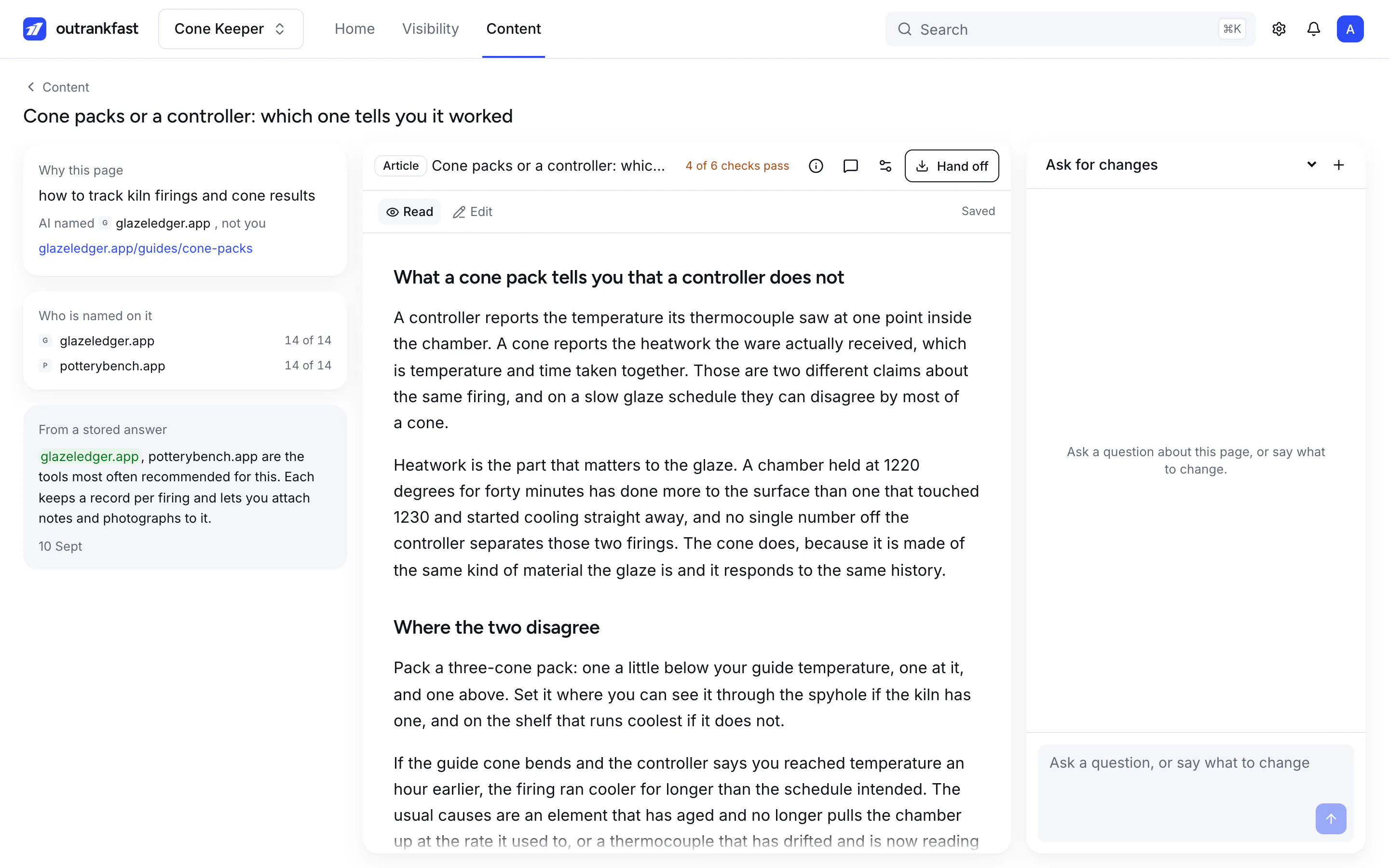
- Cone packs or a controller: which one tells you it worked
- Log a glaze recipe against the firing it came from
- A kiln maintenance log a studio will keep up

Three steps to connect. Done once
Settings has a prompt for each agent. Your agent runs it, and you approve the connection in your browser.
- 1
Copy your agent's prompt
Settings has one for each agent we connect to.
- Claude Code
- Codex
- Cursor
- VS Code
- Other
Connect the outrankfast MCP server.
- 2
Paste it and approve
Your agent adds the server and opens outrankfast in your browser.
Connect Claude Code.
It can
- Read everything Cone Keeper measures
- Add prompts, and stop or start tracking them
Connect

- 3
Ask what you're missing
Your agent pulls the suggestions and gets writing.
Which prompts name a competitor and not us?
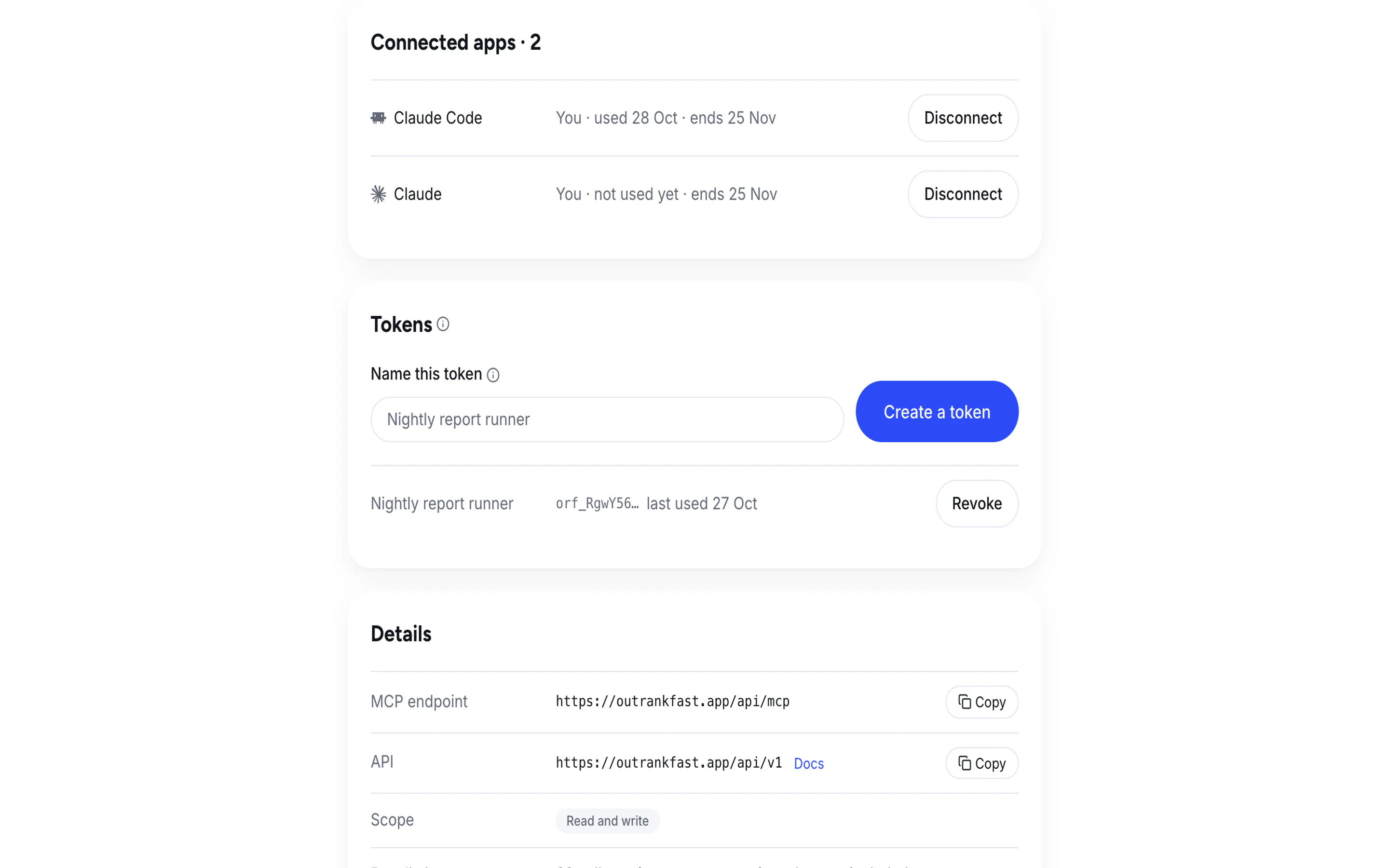
See what's connected, and who connected it
Each agent signs in as the person who approved it. Disconnect one from Settings and it stops on its next call.
One connection opens the answers, the searches behind them, who got named instead of you and the prompts you track.
All the stored answers. The text the engine wrote, the day it wrote it, and the sources it cited.
The searches behind them. The search strings the engine ran before answering, most frequent first.
The prompts you track. It can add one, pause one, stop tracking one or bring one back.
Then your agent ships it, right where your site lives
Your agent reads the finished draft over the same connection and writes the page in your project. No credentials leave your machine, and you review it like any other change.

Questions? Short answers
The ones people ask before they connect an agent.

Do I need to install anything?
No. Your agent adds one endpoint to the config it already reads, and you approve it in your browser. No package, no local process, no build step.
What does it actually write?
Pages, in your own project and your own format. Each one carries the prompt it answers and the stored answer behind it, so you can review the reasoning with the prose.
Could this change something in my account without me knowing?
It can add prompts and stop tracking them, and that's the whole list. Each change shows up in your notifications with the agent that made it. Nothing gets deleted: a prompt you stop tracking keeps its answers and can come back, and disconnecting it in Settings cuts access on its next call. Your brand names, competitor list and excluded domains are off limits.
Does using it cost extra?
No. Agent access comes with every paid plan at no extra cost. Reading drafts over MCP needs Grow, since Grow is the plan that drafts pages.